
How to change your PHP version, PHP limits, and PHP extension settings.

Utilizing CloudLinux OS with DirectAdmin allows us to offer a flexible shared hosting service that permits you to easily use the PHP version and PHP extensions that meet your use case. With the CloudLinux PHP selector, changing your website's PHP version, PHP limits, or enabling / disabling PHP extensions is a breeze.

Once logged into your Shared Hosting account, from your dashboard follow the directions below.

Step 1: Choose the "Select PHP version" tool from the "Extra Settings" menu.
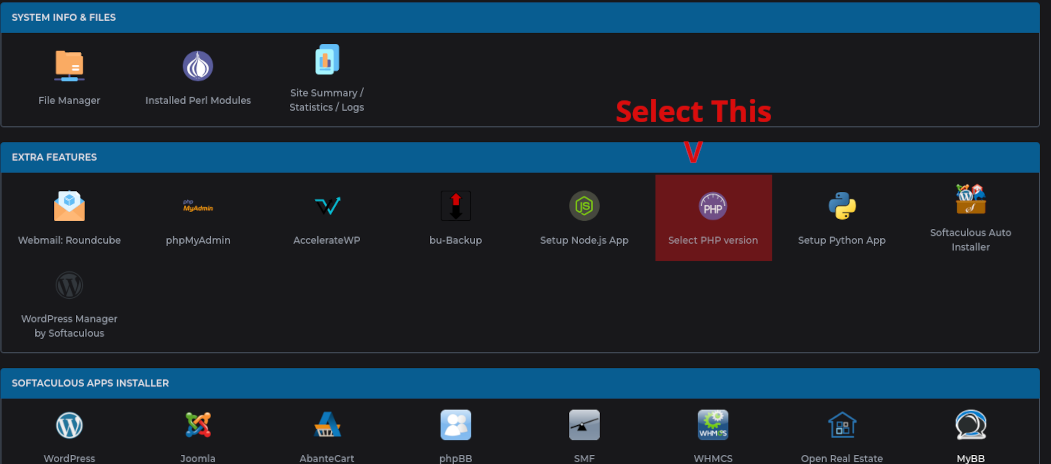
CloudLinux PHP Selector

Step 2: Select the settings that meet your requirements. Some software does not work on the latest PHP versions, some do. It's recommend to use the latest PHP version that works well with your software choice.

On this page you may also enable/disable PHP extensions that your software may or may not need.
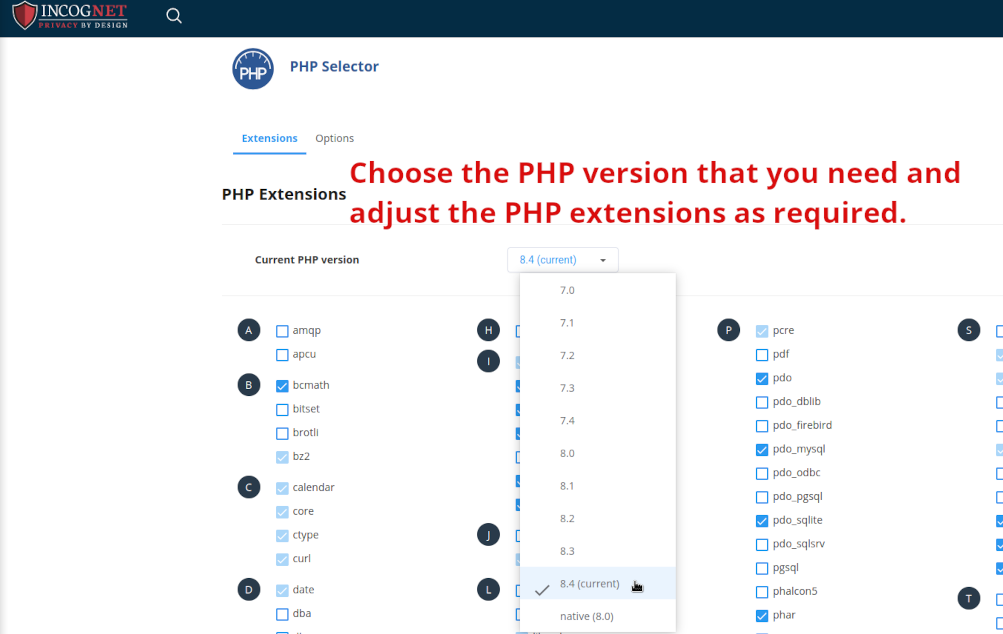
PHP Selector CloudLinux

Step 3 (OPTIONAL): Adjust your PHP variables (max_execution_time, memory_limit, max_post_size, etc)
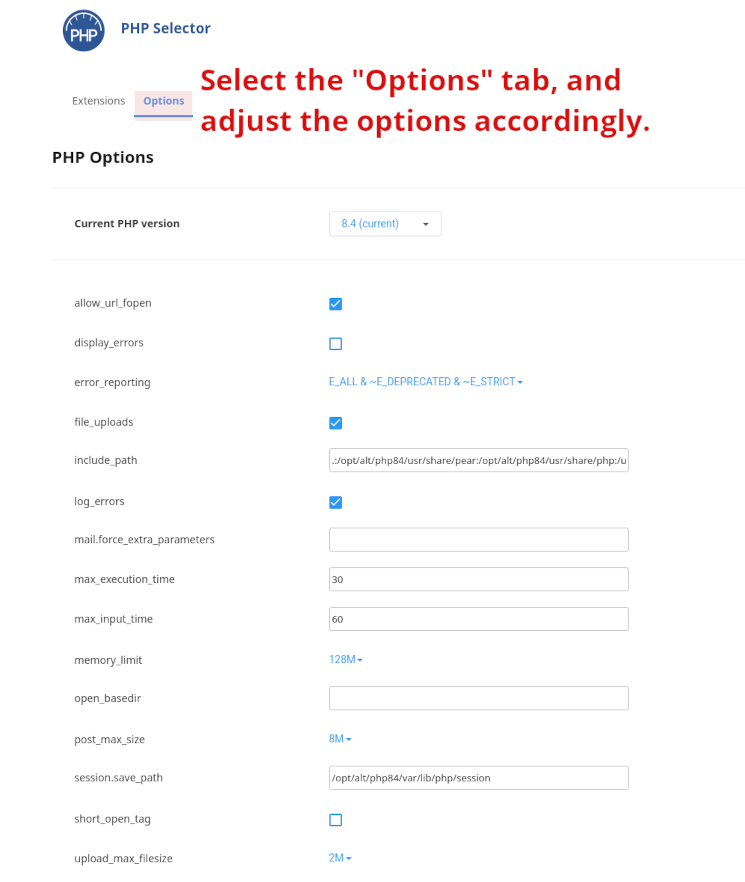

CloudLinux PHP Selector max_execution_time

  • php, php limits, php extensions, cloudlinux
  • 3 Els usuaris han Trobat Això Útil
Ha estat útil la resposta?

Articles Relacionats

How to create and restore a backup in DirectAdmin control panel.

IncogNET takes secured offsite (encrypted) backups as part of our disaster recovery plan, but we...

SSL Error: "Domain is already processing an SSL request. Please allow it to finish before making other changes."

If you experience a, "Domain is already processing an SSL request. Please allow it to finish...

Understanding CloudLinux Limits

All of our Shared Web Hosting servers utilize CloudLinuxOS Pro as their base operating system....

Desktop Email Setup

Setting up email for a desktop or mobile email client is quite simple! When you create an email...

Supported NodeJS Versions (CloudLinux / DirectAdmin)

The information below is accurate as of March 9th, 2024. Its possible that the list of versions...